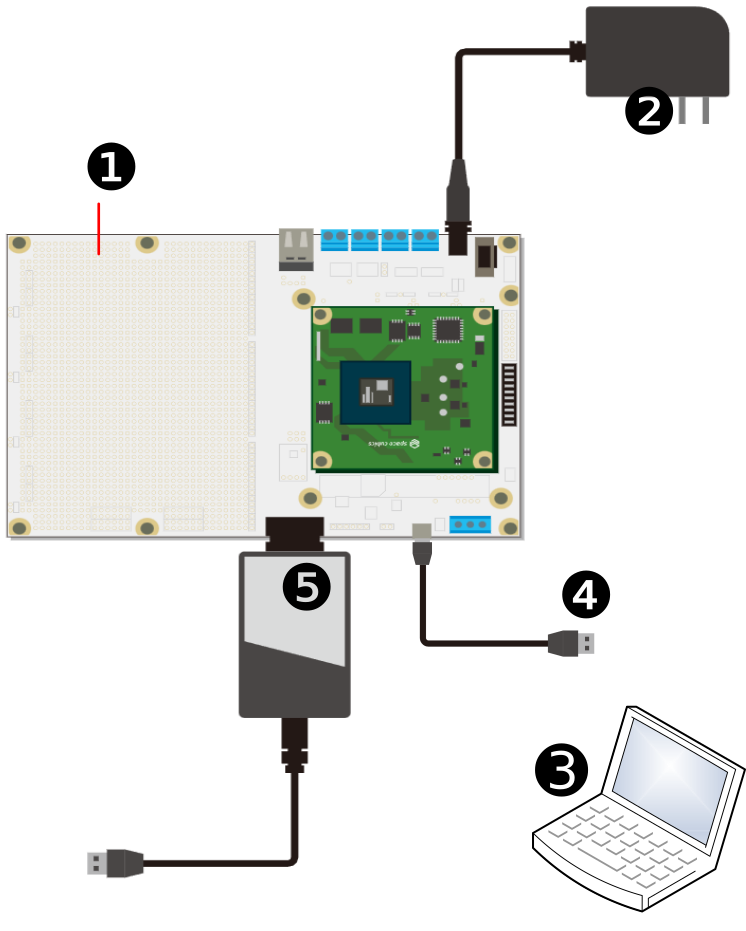
Before Powering On
Required Items
Before using the Dev Board, prepare the following items as needed:
Work PC |
A PC running Linux or Windows with at least one USB port. |
USB Cable |
Used for FPGA programming and a serial communication (e.g., the Zephyr serial console). A Micro-USB cable is required. |
MPLAB PICkit |
A Microchip debugger. Used to write software for the TRCH. |
Assembly
The connection method for included parts like screws is shown below.
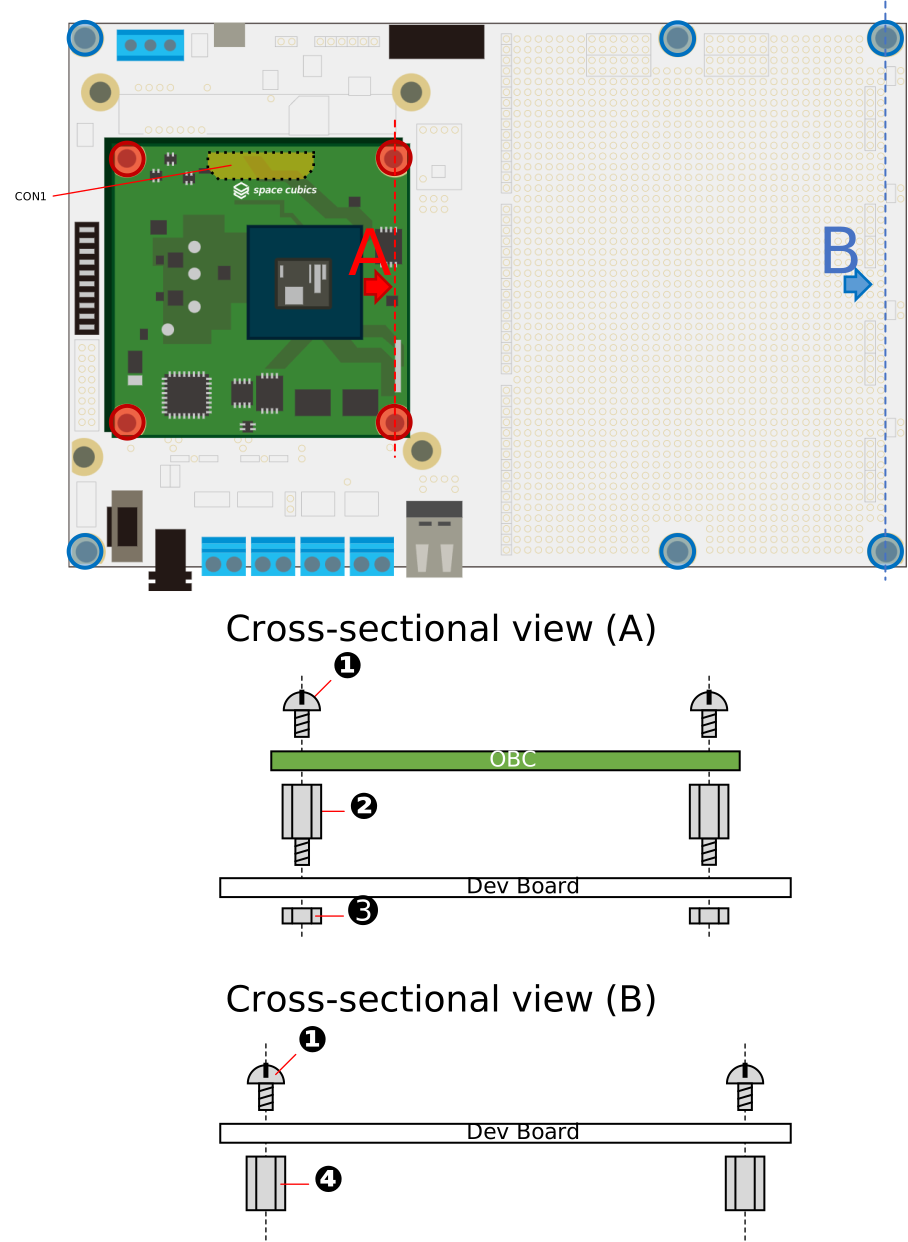
| Number | Name |
|---|---|
1 |
Pan head screw (M3, L=4mm) |
2 |
Hex single-head stud standoff socket spacer (M3, L=5mm) |
3 |
Hex nut (M3, Type 2) |
4 |
Hex male-to-female spacer (M3, L=10mm) |
Precautions When Inserting/Removing the OBC Connection Interface (CON1)
To prevent connector damage, contact buckling, or deformation, insert the connector perpendicular to the board. Avoid the following insertion mistakes:
-
Avoid forcing the connector into place when the socket and header mating surfaces are misaligned (A)
-
Avoid forcing the connector into place by sliding it while applying pressure when the mating surfaces are misaligned (B)
-
Avoid inserting the connector at an angle ©
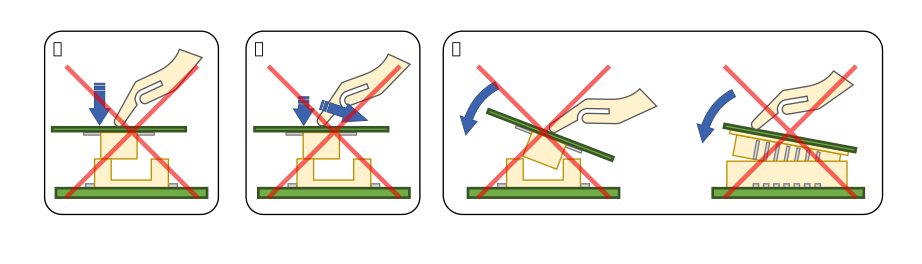
Similarly, when removing the connector, do so perpendicular to the board.
For the OBC connection interface (CON1), refer to the interface specifications described later.